Briarvexen capabilities: tools for reviewing and classifying information
This page describes the specific functions that Briarvexen makes available to users who have established access. Each capability is described in terms of what it allows users to do within the classification framework.
Structured information review
The primary capability of Briarvexen is enabling users to navigate and review information that has been arranged within the classification framework. This is not a passive display of content; users interact with the organisational structure, moving between categories, examining records at different levels of detail, and returning to previously reviewed areas when needed.
The review interface presents information in a consistent format across all categories, reducing the effort required to interpret content as users move through the framework.
Request access to begin reviewing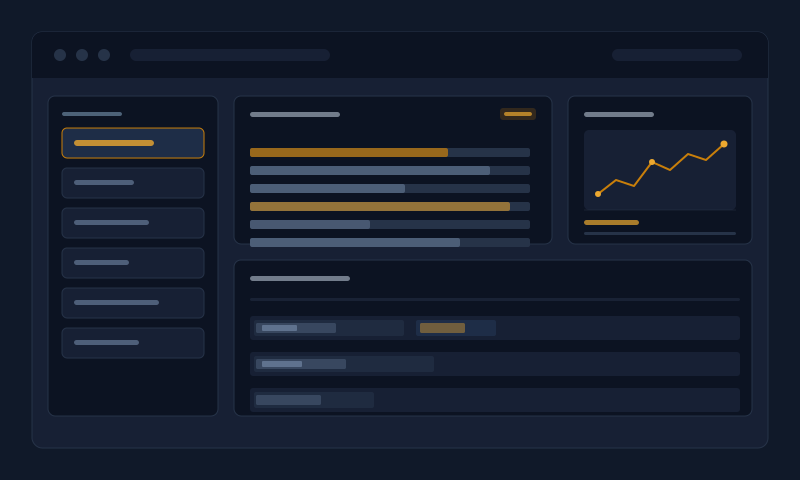
What Briarvexen provides
The following capabilities are available to users within the platform. Each operates within the same classification environment and contributes to a coherent review experience.
Users move through the classification hierarchy by selecting categories from an organised index view. Each level of the hierarchy presents the records and subcategories relevant to that scope. The interface maintains navigational context throughout, so users can return to any point in the hierarchy without losing their place.
Within any category, individual records can be examined in a dedicated detail view. This view presents the full content of a record alongside contextual information showing where it sits within the broader classification framework. Users can examine a record thoroughly before returning to the category index or moving to an adjacent record.
Where the system identifies that two categories or records share meaningful connections — for example, both referencing the same subject area or classification axis — it presents a connection indicator within the interface. Users can follow these connections to review related content without navigating back through the main hierarchy.
An index view showing the full structure of available categories is accessible from the main interface. This provides an orientation map of the classification framework, allowing users to identify which areas are available to them, how categories are arranged relative to each other, and which areas contain the most records.
Requesting access to Briarvexen
Access to the platform's capabilities is established through the enquiry process. The following steps describe how this works from initial enquiry to active use.
Use the contact form on the Enquire page to describe your requirements. Include your intended use and the types of information you wish to review. Selecting an appropriate request type helps the team direct your enquiry correctly.
The Briarvexen support team will review your enquiry. They may contact you to ask clarifying questions about your requirements or the categories you wish to access. There is no obligation to respond to clarifying questions, but doing so helps the team confirm which access type is most appropriate.
If access is confirmed, you will receive information on how to reach the interface and what categories will be available to you. The team will explain any conditions associated with your access type at this stage.
Once access is established, you can begin navigating the classification framework. The interface includes orientation information for new users. If you have questions during your review, the support team remains available via the contact form.
Users with established access can contact the support team at any time to request additional categories, report an issue with the interface, or ask questions about specific records or classifications.
Access to Briarvexen provides the ability to navigate and review information within the established classification framework. It does not provide editing access to records, the ability to add new categories, or any administrative functions. Users review the available information; they do not modify it.
The platform presents information as it has been arranged within the framework. Briarvexen does not make representations about the completeness, currency, or accuracy of the source information, and does not assert that reviewing available records will produce a particular result for any user.
If you have questions about the capabilities described on this page that are not answered here, please use the enquiry form to reach the support team directly.
Ready to see what Briarvexen offers?
If the capabilities described here align with your requirements, the next step is to submit an enquiry. The support team will be in touch to discuss your access options.
Submit an access enquiry